Custom ERP software built around your operations
Connect sales, inventory, production and billing in one system designed around your business processes.
Own an ERP designed for your business
Custom ERP software connects your departments in one system built around your business rules and workflows.
Based in Montreal, Exolnet has developed enterprise software since 2007 for organizations across Quebec, Eastern Canada and the Northeastern United States. Your managers help design the system, and your business owns the software we deliver.
What is a custom ERP system?
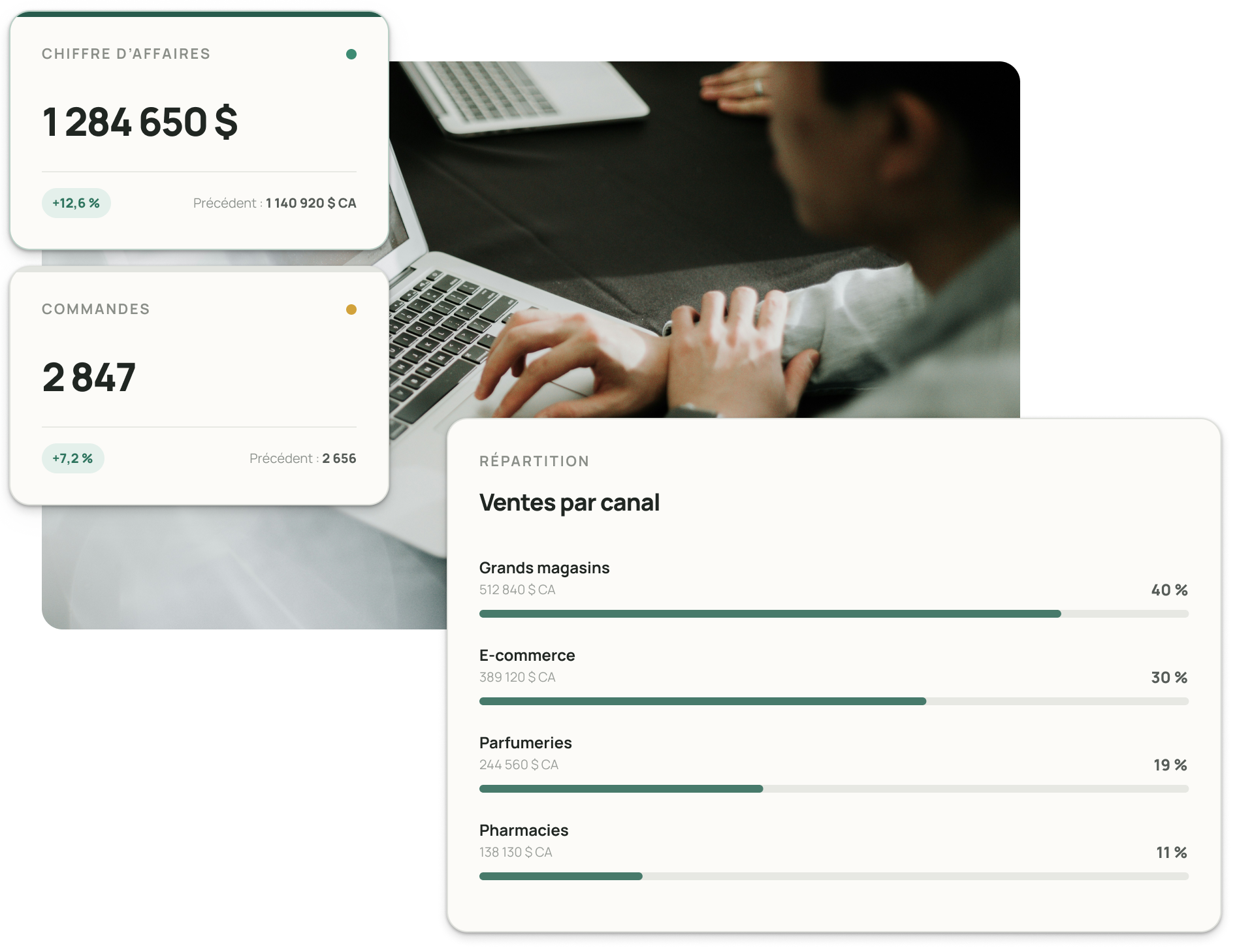
Enterprise resource planning (ERP) software connects the data and workflows your departments rely on. A custom ERP system follows the way work moves through your business.
Once a customer accepts a quote, the system can turn it into a sales order, reserve inventory, update the production schedule and trigger invoicing. Teams enter the information once, and managers can see what’s happening across the business in real time.
A custom CRM helps manage customer relationships and the sales cycle. Custom database software organizes and secures information, and custom business management software gives a team one place to manage its operations. An ERP connects these functions across departments.

Signs your business needs a custom ERP
Your current systems may be slowing your operations if you see these signs.
Sales, production and accounting each enter the same order.
Departments work in silos and rely on different versions of the data.
Your current ERP requires frequent workarounds or manual steps.
Your pricing rules or make-to-order production workflows require capabilities beyond a standard ERP.
Month-end reporting means combining figures from several departments.
Gaps between your systems prevent end-to-end process automation.
Your ERP limits growth or makes it harder to adopt new tools such as AI.
If several of these signs sound familiar, request a free quote to discuss your options with our team.
Custom ERP vs. off-the-shelf ERP
The right choice depends on how complex your processes are and what you need the system to deliver.
Criterion | Off-the-shelf ERP | Custom ERP |
|---|---|---|
Fit | Your teams adapt their workflows to the software. | The software follows your business processes. |
Features | Standard features for common needs across industries. | Features built around your business rules and everyday needs. |
Integrations | Uses the vendor’s available connectors. | Integrations built for your systems and data. |
Future development | Follows the vendor’s product roadmap. | Evolves with your business priorities. |
Costs | Lower upfront investment, with recurring per-user licence fees. | Higher upfront investment aligned with the value the system delivers. |
Ownership | Licensed from the vendor. | Your business owns the software. |
An off-the-shelf ERP works well for common processes. If your workflows give you a competitive advantage, custom ERP software lets you keep and improve them. Our guide to choosing ERP software walks through these criteria in more detail.
Custom ERP modules we can build for your business
We build your ERP one module at a time, starting with your priorities.
If tracking time and team capacity is your main priority, custom productivity software can be a first module.
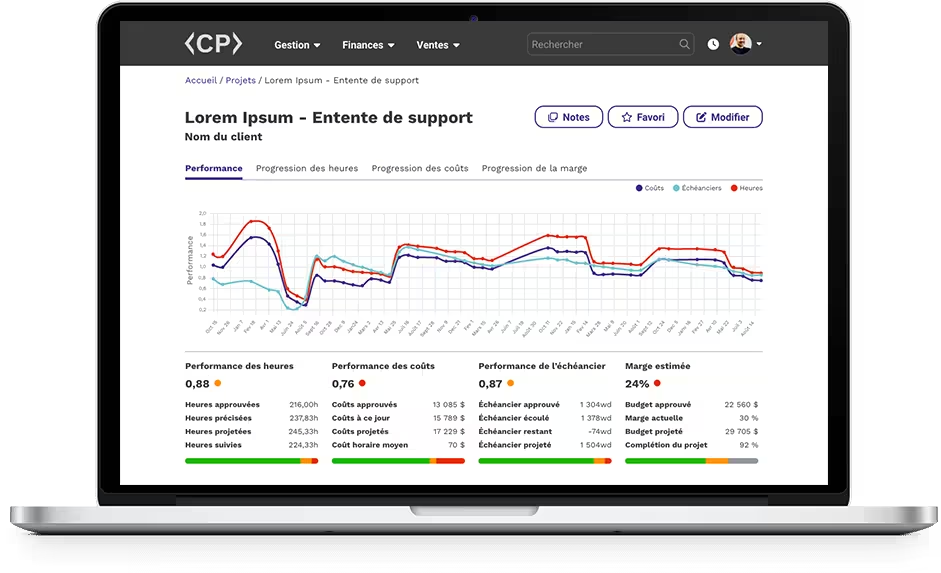
Control Panel, a custom ERP for service businesses
We built Control Panel, a custom ERP for service businesses. It connects quote management with multi-currency invoicing, sends automatic reminders for overdue invoices and generates financial reports such as income statements, balance sheets and profitability by client.
Which modules should you build first?
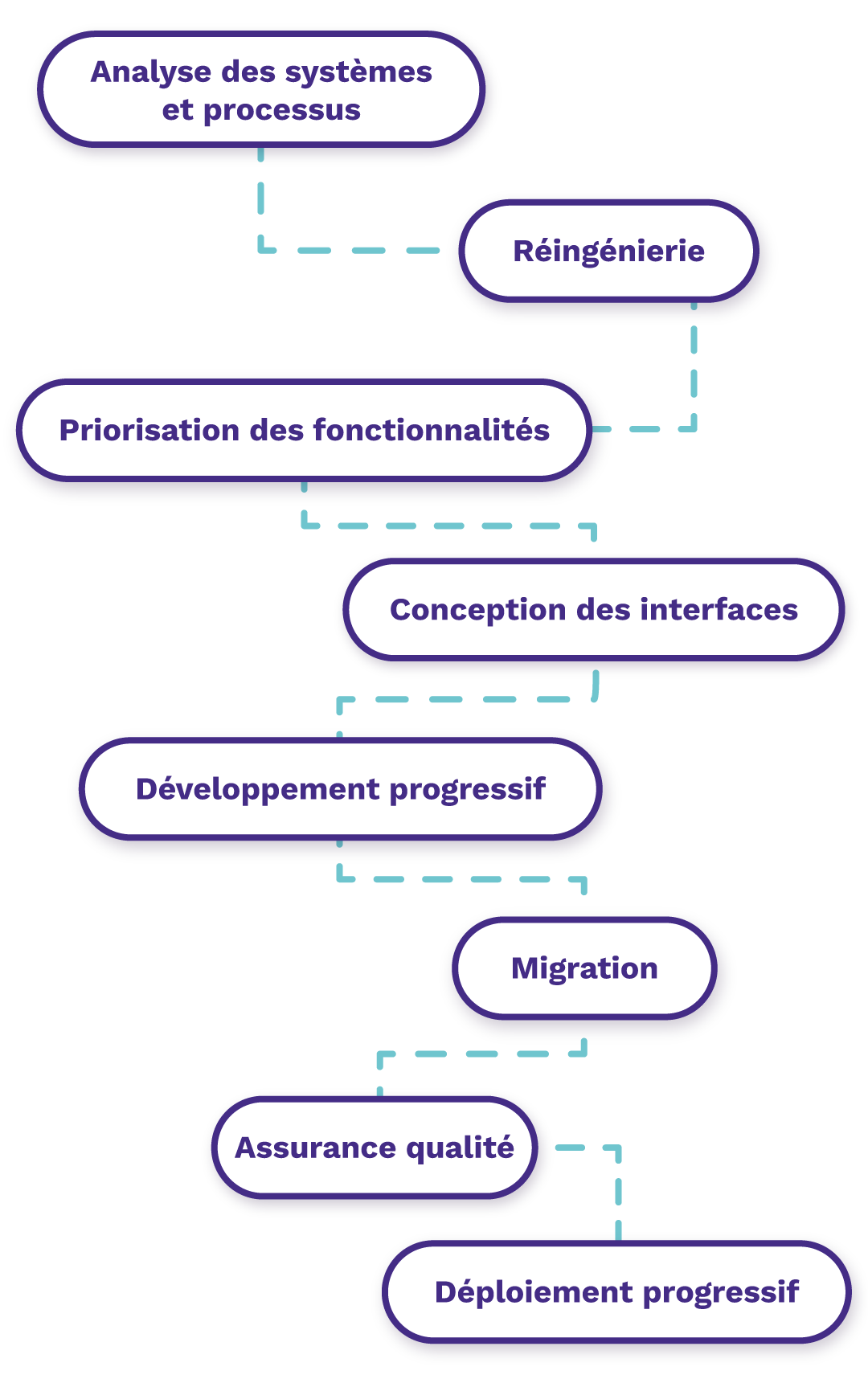
How we develop your custom ERP
Developing your ERP in phases reduces risk and gets the most important features into your teams’ hands sooner.
Review existing systems and business processes
Redesign and improve workflows
Prioritize ERP features
Design the interfaces and build a prototype
Develop modules and integrations in phases
Migrate and validate data
Run quality assurance and automated tests
Roll out the ERP in phases, train teams and support adoption

What Exolnet brings to your ERP project
Our in-house software engineers and business analysts bring 19 years of experience and have delivered more than 250 projects.
We combine software development with process improvement. Your managers and employees help shape the solution from the start. We build software for business-critical operations and support you from initial analysis through deployment and ongoing enhancements.
“Exolnet built a powerful, elegant solution to meet a complex need. Its capabilities and ease of use led to rapid adoption across our organization. We now have changes across Desjardins Group under control!”

One ERP system to support your growth
A custom ERP brings your operations together in a system that follows your processes and grows with your business. It’s part of our custom software development services, and it can replace a legacy system as part of a software modernization project.
Request a free quote to identify the modules that would make the biggest difference for your business.
Frequently asked questions about custom ERP
How does a custom ERP compare with Odoo?
Odoo is an off-the-shelf ERP with ready-made modules for functions such as sales, inventory and accounting. You can configure and customize these modules to support common processes. With a custom ERP, development starts from your own processes and business rules. Your business owns the software and decides how it evolves.
Can a custom ERP work with the software we already use?
A custom ERP can serve as your central system and connect to your accounting software, CRM and other specialized tools. Integrations move data automatically between systems and eliminate duplicate entry. You can keep the tools that work well and replace the ones that create silos or limit growth.
Can we migrate data from our old ERP?
Yes. Data migration typically includes cleaning, transforming, importing and validating your existing records. We map the data from your legacy ERP to the structure of each new module and verify it in several test runs before the final transfer. This can keep your customer, supplier and transaction history accessible. Our software modernization service covers the process for systems approaching end of life.
How long does it take to develop a custom ERP?
Most projects take several months. The timeline depends on how many modules you need, which systems the ERP must integrate with and how complex your processes are. A phased rollout puts priority features into service sooner, with other modules added over time. We assess your existing systems and requirements first so we can set a realistic schedule before development begins.
Let’s talk technology!
We’d be more than happy to chat about your technology goals and always enjoy learning about new businesses along the way. Get in touch today!