Software Development
10 UX Design Mistakes to Avoid for Your Digital Product

Your team is developing a new digital product. Without a UI/UX designer involved from the start, the code can move forward, features can pile up, and yet, at launch, users struggle to find their way around. Support requests spike. Drop-off rates climb.
This scenario is more common than most people think, and it almost always has the same root cause.
This article is for decision-makers, product leaders, and managers who want a practical understanding of what this role brings to a project, beyond wireframes and polished visuals.

Before looking at the designer’s role, it’s important to clear up two terms that are often confused.
UX (User Experience) refers to a user’s overall experience with a product. It includes navigation logic, how easy it is to complete a task, and how smooth the journey feels. UX answers the question: is this product useful and easy to use?
UI (User Interface) is the visual layer: typography, colours, buttons, spacing, and layout. UI answers the question: is this product visually appealing and consistent?
A simple analogy to remember the difference: UX is the architectural blueprint of a house. UI is the interior design.
Dimension | UX Designer | UI Designer |
|---|---|---|
Focus | User journeys, logic, navigation | Visual appearance, graphic consistency |
Deliverables | Wireframes, personas, user flows | High-fidelity mockups, design system |
Tools | Figma, Miro, analytics tools | Figma, Adobe XD, prototyping tools |
Goal | Make the product easier to use | Build trust and credibility |
The two roles are inseparable. A product with excellent UX but a neglected interface loses credibility. On the other hand, a visually polished product that is poorly structured creates frustration. It’s the combination of both that delivers strong results.
The most common myth: a UI/UX designer is someone who makes things look nice.
The reality is very different. Their role is to understand users and business goals, then design the bridge between the two. The role of a UI/UX designer is as strategic as it is creative.
Their work unfolds in five phases:
Research: user interviews, analytics review, competitive audit, identification of existing friction points
Modelling: creating personas, mapping user journeys, information architecture
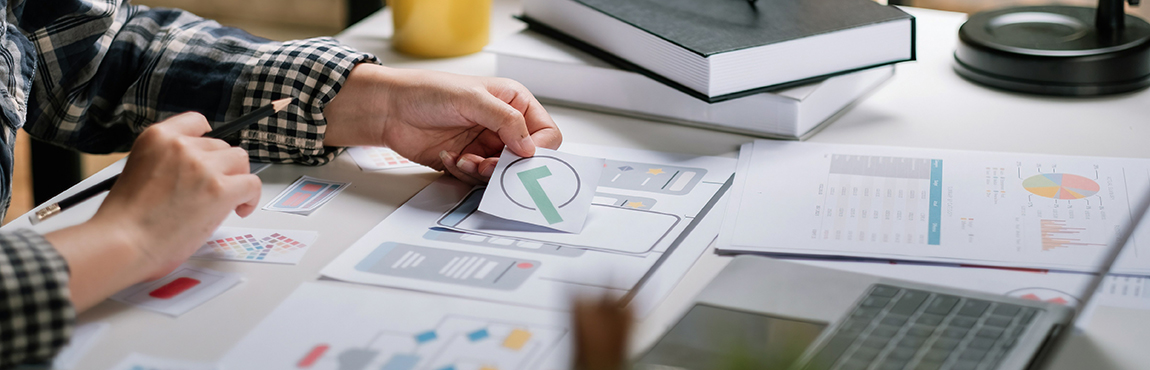
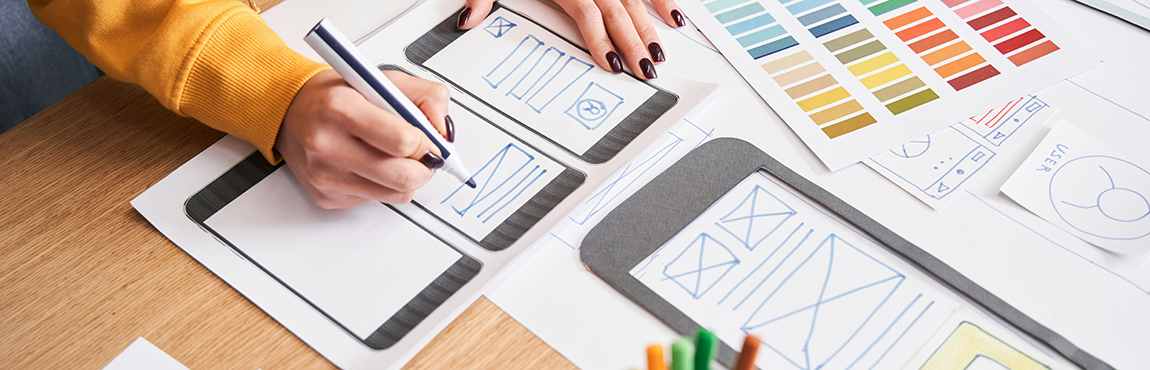
Design: annotated wireframes, interactive prototypes in Figma, detailed user flows
Validation: usability testing with real users, iterations based on concrete data
Continuous optimization: A/B testing, behavioural analysis, post-launch improvements
These phases are not linear. A strong designer moves through them in cycles, adjusting as new insights emerge.
Where the UX designer structures and validates the logic, the UI designer transforms that structure into the final visual interface.
Their key skills include typography, colour theory, visual hierarchy, layout grids, and micro-interactions. These details may seem secondary, but they directly influence how credible your product feels and how much trust users place in it.
One of the key deliverables of a UI/UX designer, a well-built design system reduces ambiguity between designers and developers, speeds up future development cycles, and ensures long-term visual consistency. Typical deliverables also include high-fidelity mockups and style guides.

The rise of generative AI tools raises a legitimate question: can AI replace a UI/UX designer?
The short answer: no when it comes to the process, yes as a complementary tool.
Generative AI can produce logos, colour variations, and visual mockups in seconds. That’s useful for quickly exploring creative directions.
What it cannot do: conduct user research, understand an organization’s business challenges, interpret qualitative signals during a usability test, or make strategic decisions grounded in field data.
The fundamental difference lies between the deliverable (the generated image) and the process (the thinking that leads to the right decisions). An AI-generated design that looks visually appealing may still fail to convert because it doesn’t address the real problems of real users.
Today, the UI/UX designer who knows how to use these tools is among the most effective. But it’s human expertise that gives those tools direction.
Several studies in user-centred design, including Nielsen Norman Group research on UX ROI, show that fixing a design problem can cost up to ten times less before development than after.
Here’s what that means in practical terms for your organization:
Lower development costs: design issues identified before coding require no refactoring
Greater user adoption: an intuitive product requires less training, generates fewer support tickets, and encourages engagement
Competitive advantage: when features are comparable, user experience is often the differentiating factor
Team alignment: mockups create a shared language across technical, product, and business teams
Risk reduction: validating assumptions before investing heavily in development helps avoid costly decisions
That’s why organizations that bring in a designer from the ideation stage start seeing benefits in the earliest phases of a project, not just at launch.
Are you considering adding design support to your next project? Talk to an expert to define the approach that best fits your needs.
A UI/UX designer does not work in a silo. Their effectiveness depends directly on their ability to integrate with other roles.
With developers, they ensure design decisions are technically feasible, maintain a reusable design system, and structure a clear handoff that reduces back-and-forth.
With product managers, they help prioritize features and enrich user stories with a user-centred perspective.
With stakeholders, they lead co-design workshops and present interactive prototypes to enable quick validation before development begins.
In an agile context, the designer generally works ahead of the development team, preparing upcoming sprints while developers code the current sprint. This approach, sometimes called dual-track agile, maximizes the flow of the overall process.
The advantage of an integrated local team is that communication between the designer, developer, and project manager happens without friction or delay, unlike a fragmented outsourcing model.

Several situations clearly justify involving a UI/UX designer:
New product: from the ideation stage, when the impact is greatest and changes are least costly
Existing application redesign: when users are complaining, metrics are stagnating, or adoption has plateaued
Scaling: when the product needs to serve a broader, more diverse audience or expand to new platforms
Conversion issues: when users abandon a key journey (sign-up, purchase, form submission)
The most costly warning sign: discovering usability issues only after going live. At that stage, every fix involves development time, regression testing, and potentially a degraded experience during the transition.
A UI/UX designer is not a cosmetic expense. It’s a strategic investment that reduces risk, improves adoption, and maximizes the return on investment of your digital projects.
The value does not lie in visual deliverables alone, but in the rigorous process behind them: research, validation, iteration, alignment. That rigour is what turns a good idea into a product users actually adopt.
Are you planning to develop an application, a management tool, or a digital redesign? Talk to an expert about integrating UX from the earliest stages of your project.
It’s possible for a very simple MVP with a small, well-known audience. Beyond that, the absence of a UI/UX designer significantly increases the risk of ending up with a poorly suited product. According to the Nielsen Norman Group, post-launch fixes cost on average ten times more than adjustments made during the design phase.
The timeline depends on the complexity of the product and the scope of research required. For a mid-sized project, a full UX process including research, modelling, prototyping, and usability testing generally takes between four and eight weeks. Those insights then help speed up and de-risk the entire development cycle that follows.
Generative AI speeds up certain creative tasks: visual variations, design inspiration, and the production of illustrations. However, it does not replace the UX process, which relies on user research, understanding the business context, and making strategic decisions based on field data. A designer who masters these tools becomes more efficient, but human expertise remains essential to guide the work.
We’d be more than happy to chat about your technology goals and always enjoy learning about new businesses along the way. Get in touch today!